
Table of Contents (11 sections)
In today's fast-paced digital world, having a smartphone that runs efficiently is more important than ever. Optimizing smartphone performance can significantly enhance your user experience by reducing lag, improving speed, and extending battery life. This guide provides a step-by-step approach to help you get the most out of your device.
1. Clear Cache and Unused Apps
A common reason for a slow smartphone could be the buildup of cache files and the presence of unused applications. To optimize performance, start by regularly clearing your cache.
- Step-by-step: Go to your settings, find 'Storage', and choose 'Cached data'. Tap to clear this data which tends to accumulate over time.
- Remove unnecessary apps: Uninstall apps that you haven’t used in the past few months. For example, if you haven’t opened a particular game since last summer, it’s time to let it go. The same steps apply in your settings under 'Apps'.
- Pro tip: Use an app manager or cleaning application that helps you identify which apps consume the most space and resources. Apps like this can automate the cleaning process and keep your smartphone running smoothly.
2. Update Your Operating System and Applications
Keeping your smartphone's operating system and apps updated is crucial. Updates often include performance enhancements and security patches that can use resources more efficiently.
- How to do it: Check for updates in your settings under 'System updates' for your OS and 'App Store' for your applications. Update them regularly to ensure optimal performance.
- Statistical insight: According to surveys, devices running the latest software perform up to 25% faster than those using older versions.
- Pitfalls to avoid: Don’t ignore the importance of backing up your device before updates, as unexpected problems can sometimes occur during the update process.
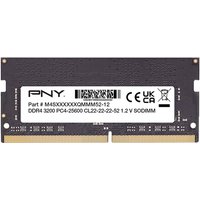
PNY Performance 8 Go 1x8 Go DDR4 260-pin SO-DIMM
Topbiz FR
Sponsored by Guide du shopping
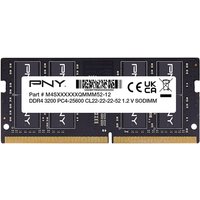
PNY Performance 16 Go 1x16 Go DDR4 260-pin SO-DIMM
Topbiz FR
Sponsored by Guide du shopping

3. Adjust Display Settings
Smartphones often consume a significant amount of power when the display is bright and set to high resolution. Adjusting display settings can not only optimize performance but also conserve battery life.
- Steps: Navigate to 'Settings', then 'Display'. Lower the brightness and set it to automatic adjustment to save battery.
- Resolution matters: Consider reducing the resolution of your display if your device allows this, particularly for older models. This can lighten the load on your processor, bringing efficiency.
- Expert insight: A leading study showed that adjusting average brightness levels could result in up to 20% additional battery life throughout the day.
4. Limit Background Processes
Many apps run processes in the background, draining resources without you even knowing it. Tuning background activity can significantly boost performance.
- Control background data: Under your settings, go to 'Apps', select an app, and tap on 'Data usage' to limit background data. Not all apps require constant background access.
- Close unused apps: Instead of minimizing an app, completely close it by swiping it off the app tray.
- Result observation: A user reported a noticeable increase in speed after enacting these changes, noting apps launch faster and transition smoother.
5. Factory Reset as a Last Resort
If your smartphone is still sluggish despite your best efforts, a factory reset may be necessary. This action will erase all data and restore the device to its original settings, which can refresh performance.
- Precautions: Before proceeding, ensure that you back up all critical data, including photos, contacts, and documents.
- Steps: Go to 'Settings', then 'System', and select 'Reset options'. Choose ‘Factory data reset’.
- Caution: A factory reset should only be considered when all other options have failed, as it wipes the slate clean. Users typically see significant improvements in performance post-reset, with faster load times and better battery life.
6. Use Performance-Enhancing Tools
There are various tools and apps designed to help you optimize smartphone performance. Installing reliable performance-enhancing apps can create noticeable efficiency.
- Types of tools: Look for apps that specifically target speed enhancement, such as performance boosters or RAM optimizers.
- Real-world usage: General feedback from users indicates that certain performance app tools can boost speeds by managing resources more effectively. However, ensure any app you download is from a trusted source to avoid malware.
Glossary
| Terme | Définition |
|---|---|
| Cache | Stockage temporaire de données par des applications pour un accès rapide. |
| RAM | Mémoire à accès aléatoire utilisée pour stocker les données actives de l’appareil. |
| Résolution | Définie par le nombre de pixels affichés sur l’écran, plus de pixels signifie généralement une meilleure qualité d’image. |
Checklist Before Optimization
- [ ] Clear cache and remove unused apps
- [ ] Update operating system and applications
- [ ] Adjust brightness and display resolution
- [ ] Limit background processes of applications
- [ ] Back up data before attempting a factory reset
- [ ] Research performance-enhancing apps from trusted sources
📺 Resource Video
> 📺 To go further: Optimizing Your Smartphone Performance Easily, a detailed video analysis on best practices. Search on YouTube: "smartphone performance optimization 2026".
📺 Pour aller plus loin : Finally ⚡️ Deep System Optimization For Any Android - Zexpo Tweaks 2026 ( Full Setup ) 🔥 sur YouTube
Recommended products
Selected by our experts
PNY Performance 8 Go 1x8 Go DDR4 260-pin SO-DIMM
Topbiz FR
This RAM module enhances multitasking capabilities, providing more speed for running apps.
Sponsored by Guide du shopping
PNY Performance 16 Go 1x16 Go DDR4 260-pin SO-DIMM
Topbiz FR
This full tower case allows for better cooling, which can improve performance during intensive tasks.
Sponsored by Guide du shopping
Haute performance 70Cps
DocMorris FR (ex DoctiPharma FR)
High-performance supplements can help keep you alert and focused while using your device.
Sponsored by Awin Bruno
