
Table of Contents (8 sections)
In a world where smartphones play an integral role in our daily lives, the challenge of choosing the perfect device can be overwhelming. With countless models on the market and features varying widely, understanding how to choose the right smartphone is essential. This guide aims to equip you with the knowledge you need to make an informed decision that aligns with your lifestyle and preferences.
1. Define Your Needs
Before diving into the models and brands available, it’s crucial to define your needs. Do you primarily use your smartphone for communicating, or is it a tool for your photography hobby? Perhaps you need a high-performance device for gaming or one with a long-lasting battery for extensive travel.
To assess your requirements:
- Consider your typical smartphone usage. Are you a heavy user of apps, or do you mainly make calls and send texts?
- Think about the activities that matter most to you, such as streaming, gaming, or photography. This will influence the processor speed, RAM, and camera quality you'll need.
- Take note of your budget. Smartphones range from budget-friendly options to high-end models with premium features. Determine how much you’re willing to spend, remembering that high price doesn’t always equate to better value.
This assessment is fundamental, as it will guide you through the technical specifications and functionalities that matter most to you.
2. Operating System Considerations
The operating system (OS) of a smartphone significantly impacts your user experience. The two most popular OS options are iOS (found in Apple's iPhones) and Android (used by various manufacturers).
You’ll want to consider:
- User Interface (UI): iOS is often praised for its simplicity and seamless integration with other Apple devices. In contrast, Android offers more customization options.
- App Availability: Both systems have extensive app ecosystems, but some apps may be exclusive to one platform. Check if your favorite apps are available on the OS you’re considering.
- Updates and Support: iOS devices generally receive longer support in terms of updates compared to Android devices. If longevity and security are priorities, iOS might have the edge.
Understanding the differences between these OS options will help prioritize which smartphone suits your digital life best.
3. Essential Features to Look For
The array of features across smartphones can be staggering. It’s vital to narrow down what’s essential for your daily usage. Some key features to consider include:
- Camera Quality: If photography is important to you, research sensors and megapixels. Higher specifications often lead to better image quality.
- Battery Life: Longer battery life can enhance your experience, especially for heavy users. Look for smartphones with good battery performance ratings.
- Screen Size & Resolution: Depending on your viewing preferences, you might prefer a larger screen for gaming and videos.
- Storage: Assess your storage needs, particularly if you like to store photos, apps, and media on your device. Models with expandable storage can be beneficial.
4. Compare Models and Prices
After identifying your needs and prioritizing features, it’s time to compare specific models. Here’s a simple methodology to ensure you make the most informed choice:
- Research: Use comparison tools online to evaluate specifications side by side.
- Read Reviews: Check featured reviews from trusted technology websites or YouTube reviews, which often provide real user experiences.
- Consider Longevity: Sometimes, it’s worth investing in a slightly higher-priced model if it guarantees better durability and future-proofing, especially with tech advancing quickly.
| Feature | Model A | Model B | Model C | Verdict |
|---|---|---|---|---|
| Camera Quality | 12 MP | 48 MP | 108 MP | Model C best |
| Battery Life | 24 hours | 20 hours | 30 hours | Model C best |
| Price | $699 | $499 | $899 | Model A best |
| OS | iOS | Android | Android | Model B best |
5. Check Support and Warranty Options
Lastly, examining the after-sales support is essential. It can make a difference if you encounter any issues with your device. Consider:
- Warranty: Understand what is covered under warranty and for how long. A more extended warranty can provide peace of mind.
- Customer Support: Look for brands known for good customer service. Read reviews on post-purchase experiences from other users.
- Repairability: Some phones are easier to repair than others. If maintaining a device for an extended period is important to you, investigate its repairability and availability of parts.
By taking these steps, you ensure that not only do you choose the right smartphone for your current needs, but that it remains a comforting and reliable device for years to come.
Checklist before Purchase
- [ ] Define your smartphone needs
- [ ] Compare operating systems
- [ ] List desired features
- [ ] Research and compare models
- [ ] Consider warranty and support options
Glossary
| Term | Definition |
|---|---|
| Operating System | Software that supports a smartphone’s basic functions and manages hardware resources. |
| Megapixel | A unit of image resolution equal to one million pixels, significant for camera quality. |
| RAM | Random Access Memory, important for multitasking and performance on smartphones. |
> 📺 For further insights: Check out smartphone comparison videos that discuss features in detail. Search on YouTube: "best smartphones 2026 review".
🧠 Quick Quiz: What is the most important factor in choosing a smartphone?
- A) Camera Quality
- B) Price
- C) Battery Life
Answer: A — Depends on your primary usage!
📺 Pour aller plus loin : how to choose the right smartphone 2026 sur YouTube
Recommended products
Selected by our experts

Smartphone Yonis noir 5.7 RAM 2 Go stockage 128 Go
Darty FR
This smartphone is ideal for users seeking durability and good performance, suitable for various everyday tasks.
Sponsored by Awin Bruno

Etui Smartphone KITRIE Marron en cuir
3 Suisses FR
This leather case provides both aesthetics and protection, ensuring your device looks stylish while being safeguarded.
Sponsored by Guide du shopping
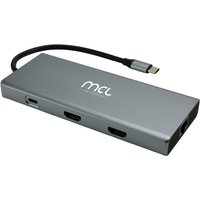
MCL 10-PORT DOCKING STATION HDMI station d'accueil Tablette/Smartphone/ordinateur portable Noir, Gris
Topbiz FR
Enhance connectivity with this docking station, perfect for users wanting to connect their devices to peripherals easily.
Sponsored by Guide du shopping
